
ISO -> USB / CD/DVD BIOS
[Windows 7 usb/dvd download tool]
Windows 7 USB Download Tool
Windows 8 usb/dvd download tool
http://go.microsoft.com/fwlink/p/?LinkId=510815
[Windows 10 usb / cd/dvd download tool]
http://go.microsoft.com/fwlink
1. Open up the Media Creation Tool you just downloaded and click run.
2. Select your Language, Edition: 'Windows ?X?', and either 32 or 64-bit(, if you are unsure try 64-bit,) and click next.
3. Select 'ISO' File OR 'USB' Flash Drive.
If you selected ISO: Wait for the file to download and insert a disc when the application asks.
If you selected USB: Wait for the file to download and have the USB inserted in the computer.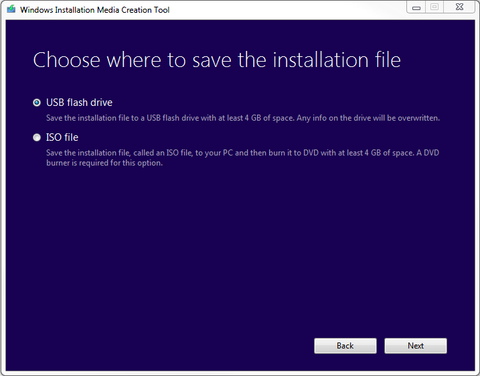
[4. Insert your disc/cd/dvd OR USB flash drive into the machine that is requiring the Windows installation and follow the prompt.]


