


If your 'Mega download' fails...
- Download keeps failing (halfway through) ( Error: Out of Memory / Write error)
-
If you selected the 'download through your browser' option...
and you see the status bar run across the screen, but fails/crashes,
then it is likely you have an out of date/ incompatible internet browser.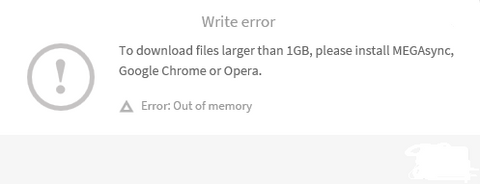
-
Resolution - Use Google Chrome browser to complete the download.
You can download this browser here: https://www.google.com/chrome/browser - Download completes, but cant find file...
-
Press Ctrl + J on your keyboard to show your downloads folder. You should see the downloads Windows appear.
The file you have just downloaded will show at the top of the list. - Double click on the file to start the install process.


