30-Day Money Back


Kofax Power PDF Standard Digital Download
Its high performance software with advanced features and user-friendly design that businesses and professionals demand.
PDF Converter has a new name and new experience!
Collaboration and productivity at a price that makes business sense.
____________________
A better way to create, convert, edit, and share PDF files
Power PDF Standard from Kofax is software that gives business users the features they need to be productive at a price that businesses can justify. Its a high performance PDF tool with advanced features and user-friendly design that businesses and professionals demand. Assemble, compare, convert, create, dictate, edit, read, scan, search, secure, sign and print PDF documents and forms with unprecedented ease and speed.
Replace Adobe Acrobat without compromise
Power PDF Standard offers an impressive array of features specifically designed to make you more productive with PDF in every capacity.
____________________

Convert paper and PDFs
_____
Convert paper and PDFs into Microsoft Office documents
Create PDF files
_____
Effortlessly create 100% industry-standard PDF files
Highlight info in PDFs
_____
Search and highlight information in PDFs
Edit PDFs
_____
Control, view, edit, and print documents with complete securityDon't retype your documents
Kofax Power PDF Standard provides an intuitive Office based user experience.
____________________
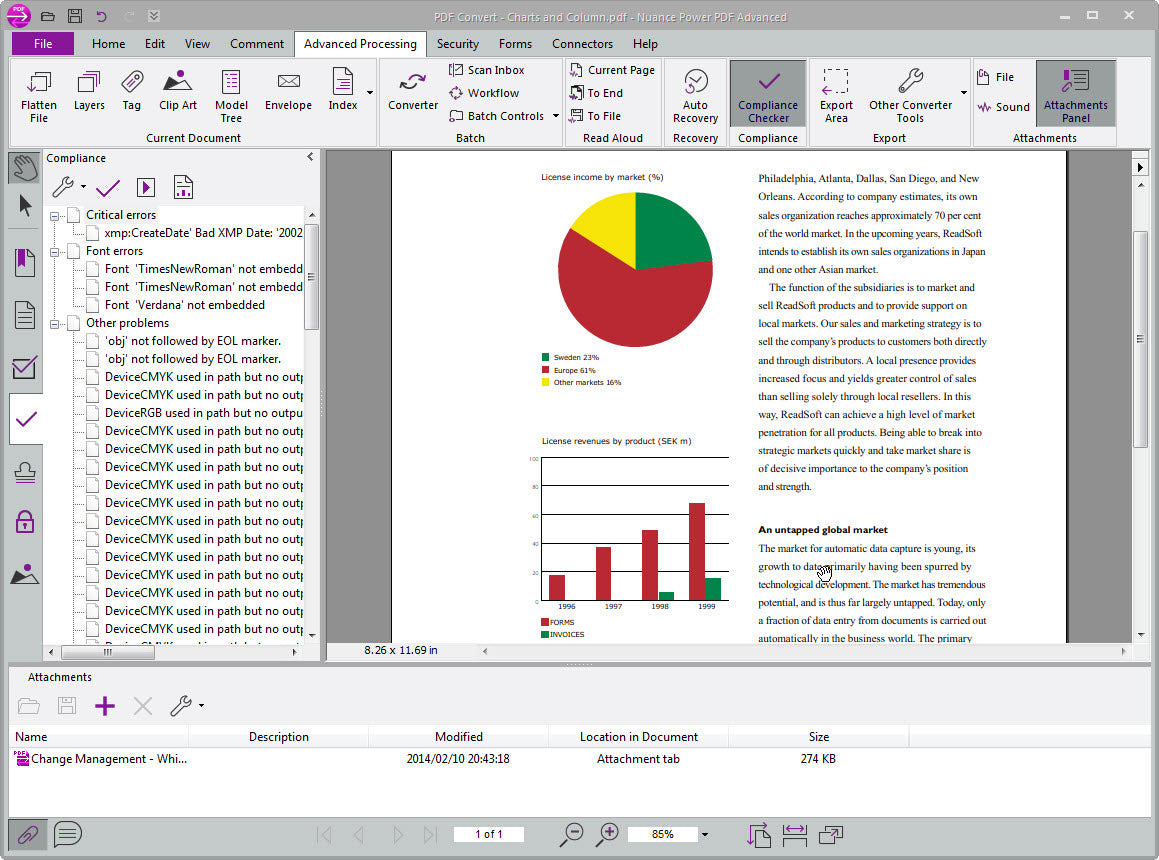
Best user experience and value
Now there is an alternative to Adobe Acrobat with an intuitive Office based user experience that allows users to work in the same experience they are familiar with, along with an impressive array of features specifically designed to make business users more productive.
100% industry-standard PDF
_____
Instantly create 100% industry-standard PDF files with security options that are fully compatible with all PDF viewers.Convert files to PDFs
_____
If you must work with PDF documents in other applications, don't waste valuable time recreating them convert them.Speak your notes
_____
Use integrated Dragon Notes to easily speak and see your text created as notes within your PDF without typing. Its fast, accurate, saves time and increases productivity.Combine and assemble documents with ease
Combine files and remove or replace pages with drag and drop ease. View and select pages from a source document such as Microsoft Word, Excel, PowerPoint, WordPerfect, JPG, BMP , TIF, or XPS to insert into a target document.

Connect your documents to the Cloud
Now you can save and access your stored documents in the Cloud by connecting directly to
____________________

Box
Google Drive
Windows Live SkyDrive
Evernote
Dropbox
System Requirements

-
 Microsoft Internet Explorer 8 or above
 -
SVGA monitor with 256 colors, but preferably 16-bit color (called Medium Color in XP and Vista). At least 800 x 600 pixel resolutions.
-
Web access needed for product registration, activation, Dragon Notes and obtaining live updates for the program.
-
Microsoft .NET Framework 4.0 installed
Windows 8
_____
Windows 8 32-bit or 64-bit EditionWindows 8.1
_____
Windows 8.1 32-bit or 64-bit EditionWindows 7
_____
Windows 7 SP1 32-bit or 64-bit EditionCPU
A computer with a Intel Pentium 4 , higher or equivalent processorDisk Space
700 MB of free hard disk space for application files; additional space required for temporaryRAM
512 MB of memory (RAM), 1 GB recommended